
A field employee misses a clock-out on the last day of the pay period. Their supervisor approves a correction after payroll has exported its inputs. What does the HR system do next? If nobody can say which export was approved or whether the correction reaches the next cycle, the attendance screen is not yet a dependable payroll input.
In an acceptance test, keep the original event, the approved correction, and the exact export as separate records. Ask payroll to reconcile the change without giving the supervisor access to pay details. Check whether calendar presentation and cutoff dates remain consistent across employee, approver, and payroll views. These are workflow requirements, not claims about statutory rules.
An HRMS should not be selected from the longest feature list. It should be evaluated against the organization's policies, responsibilities, and reporting needs.
Begin with the employee record
The employee profile is the foundation for other workflows. Decide which information is necessary, who may view or change it, and how corrections are recorded. Sensitive details should not be visible simply because a person has access to the HRMS.
Role design should reflect real responsibilities. An employee, supervisor, HR administrator, payroll operator, and system administrator may each need different access. Shared administrator accounts make accountability difficult and should be avoided.
Attendance is a workflow, not only a timestamp
Recording arrival and departure is one part of attendance. Organizations may also need shifts, approved field work, late-arrival rules, missed-entry correction, holidays, and supervisor review.
Before implementation, document:
- How attendance is captured.
- How shifts and calendars are assigned.
- Who can request a correction.
- Who approves exceptions.
- What happens when a device or network is unavailable.
- Which records feed later calculations.
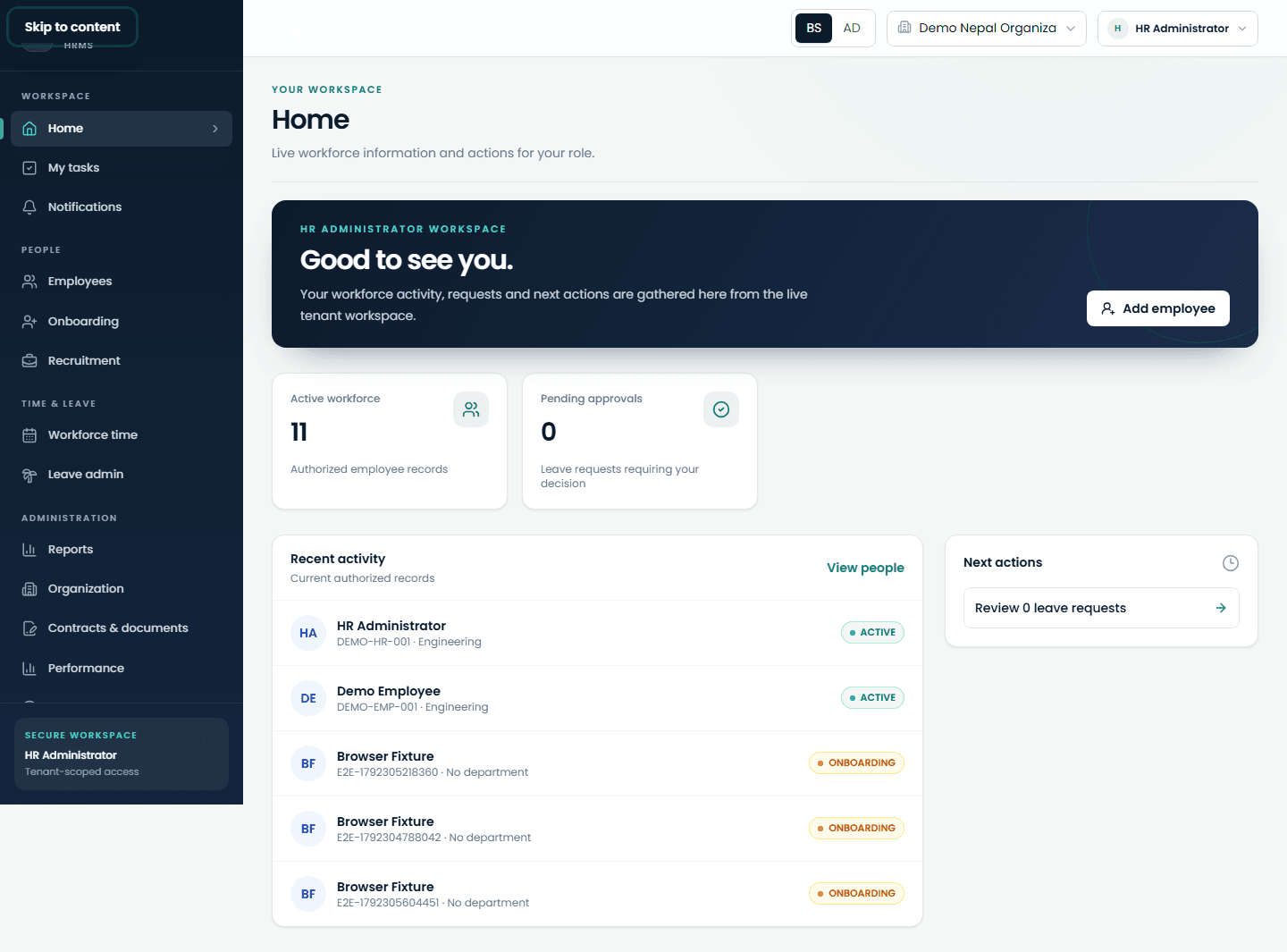
The authentic HISABI HRMS development preview shows an administrator workspace and a mobile attendance view. It is presented as a development preview; release status and business outcomes are not claimed.
Leave should reflect policy clearly
A leave workflow should make balances, request status, approval responsibility, and relevant dates understandable. Policy still belongs to the organization. Software can apply configured rules, but it should not invent policy or hide important exceptions.
Consider leave types, eligibility, partial days, overlapping requests, supporting documents, delegation when an approver is unavailable, and corrections. Employees should be able to see the status of a request without relying on separate messages.
Reconcile one correction after payroll closes
Suppose an employee's original record contains a clock-in at 09:06 and no clock-out. The employee requests 17:10 as the missing time, with a reason. Store the request separately from the original event. The supervisor approves the correction; the system records the approver, decision time and previous value. Approval changes the effective attendance record, not the raw event.
If payroll already exported batch A, do not silently rewrite that file. In this example, payroll accepts the correction in batch B as a distinct adjustment referencing the employee, work date, correction ID and batch A. Export generation should prevent the same correction from entering two accepted batches. Only payroll staff see the payroll export; the supervisor can see the decision without seeing pay data.
Reconcile the original event, approval and batch B adjustment. Then rerun the export and confirm no duplicate. Try one shift crossing midnight: keep an unambiguous timestamp and specify which Kathmandu business day owns the shift. Test BS display and AD import together if staff use both. Confirm cutoff, rounding and payroll policy with the employer and appropriate advisers; none of the sample values are statutory rules.
Reporting should answer operational questions
Reports are valuable when they support a decision. Start with questions such as: Which attendance corrections await review? Which leave requests need action? Which employee records are incomplete? Which approved data is ready for the next process?
Dashboards should not expose sensitive details to broad audiences. Filter access at the data and server level, not only by hiding an interface element.
Plan implementation and migration
Moving from registers or spreadsheets requires data preparation. Remove duplicates, agree on identifiers, define the system of record, and decide how much historical data is genuinely needed. Test a small migration before moving all records.
Implementation should include:
- Workflow and policy discovery.
- Role and permission design.
- Data preparation and migration testing.
- Configuration or phased development.
- User acceptance testing with real scenarios.
- Training and support.
- A controlled launch and review period.
ITLead's business software and automation work approaches HR systems as operational products, not isolated screens.
Ask about security and continuity
HR systems contain personal and employment information. Ask how sessions are protected, permissions are verified, changes are logged, backups are tested, and accounts are removed when responsibilities change. Clarify hosting, incident response, export, and recovery procedures.
Mobile access also needs careful design. Convenient access should not mean long-lived sessions on shared devices or unrestricted downloads of sensitive records.
Evaluate the experience for every role
HR administrators may use the system daily, while employees open it only for a specific task. Both experiences matter. Frequent administrative actions should be efficient; occasional employee actions should be easy to understand without training every time.
Test the product using actual scenarios and representative devices. Include keyboard access, readable errors, loading states, and low-bandwidth conditions where relevant.
A useful HRMS creates a trusted process
The objective is not to digitize every form. It is to create a clear, controlled path from employee information and daily activity to approved organizational records. A focused rollout that earns trust is stronger than a broad implementation the organization cannot reliably operate.
To discuss an HR workflow without assuming a particular product, share the current process and its main points of friction.